Dingtek IoT Platform
Cloud platform, mobile workflow, and integration layer for IoT projects
Dingtek connects field sensors, gateways, Web dashboards, mobile apps, command-center screens, configuration tools, alerts, reports, and customer systems into a practical platform stack for pilot and batch deployments.

Platform Scope
From device onboarding to daily operation
Device Management
Organize devices by project, region, site, building, zone, asset type, model, network, and operating status.
Alerts and Rules
Configure thresholds, event rules, device fault alerts, notification logic, acknowledgement status, and escalation workflows.
Reports and Records
Review historical trends, alarm records, collection or inspection events, field feedback, and export-ready operational reports.
Integration
Support project-level API, protocol adaptation, customer dashboards, third-party IoT platforms, and smart-city systems.
AIoT Lite Operations Platform
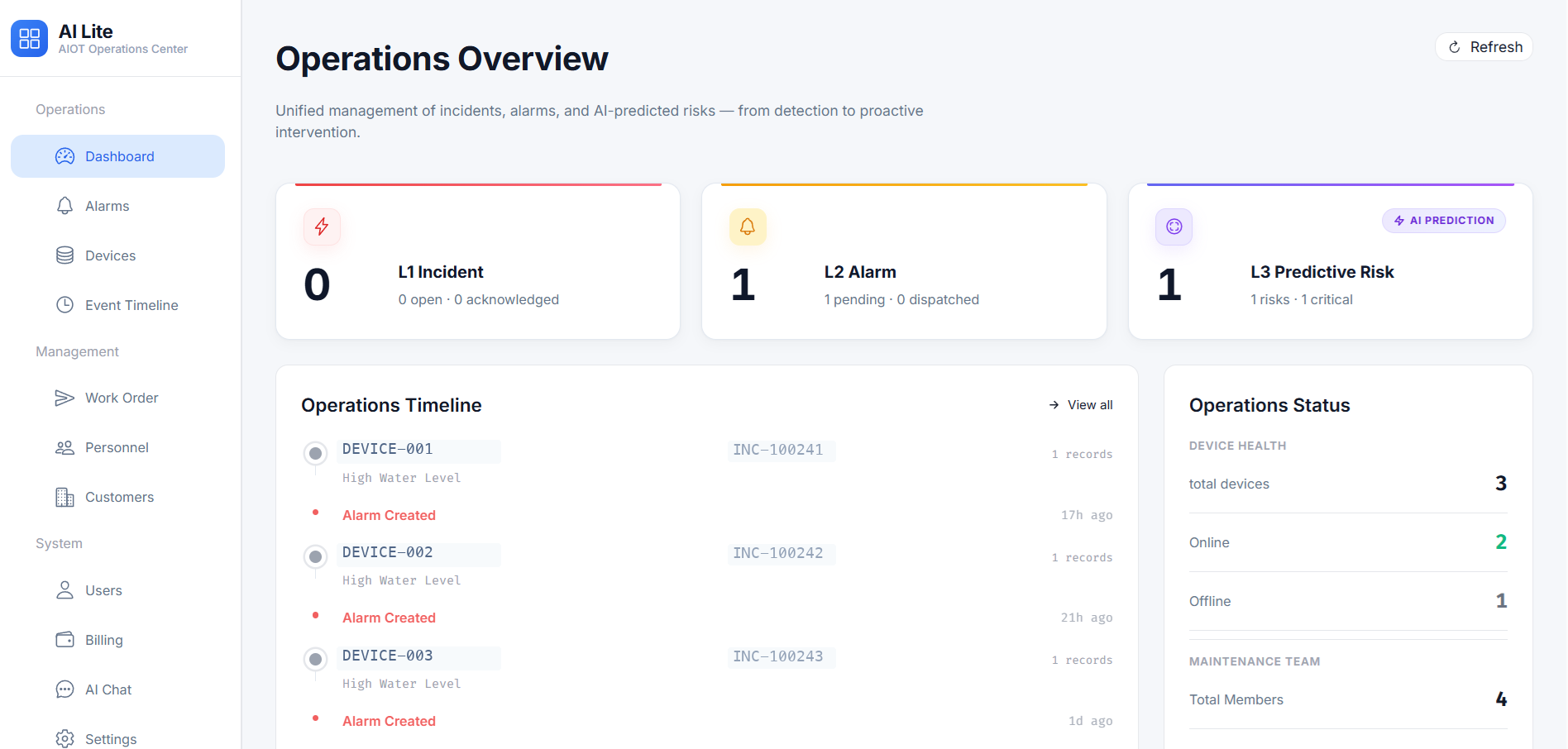
Work orders, subscriptions, self-registration, and AI-assisted operations
AIoT Lite adds an operation layer for selected IoT projects, helping customers manage device onboarding, user roles, subscriptions, work orders, alarms, and service records from one Web platform.
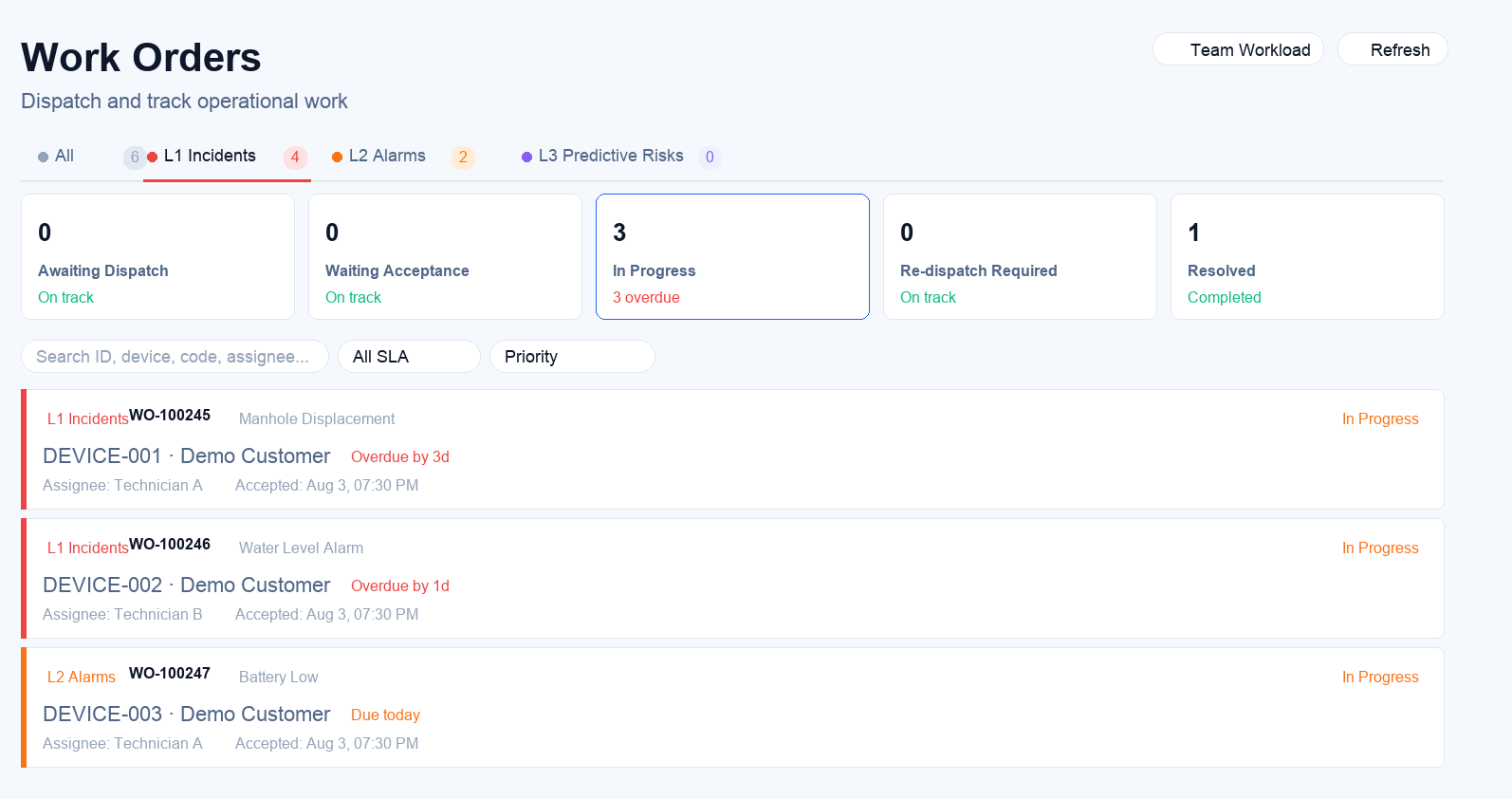
Work Order Workflow
Create, assign, track, and review service tasks so field events can become accountable operation records.
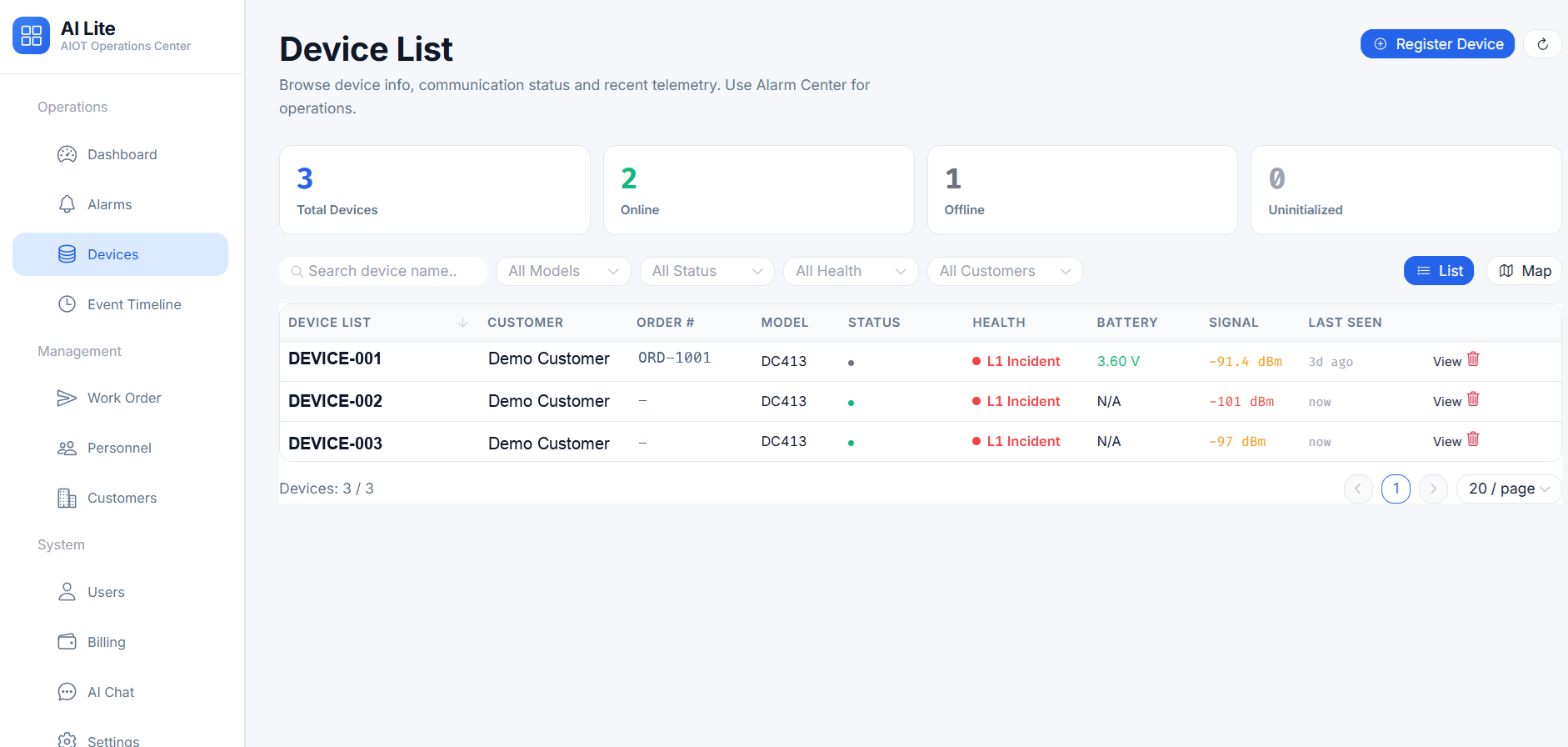
Device Onboarding
Support device self-registration, customer grouping, project ownership, and device lifecycle records for managed deployments.
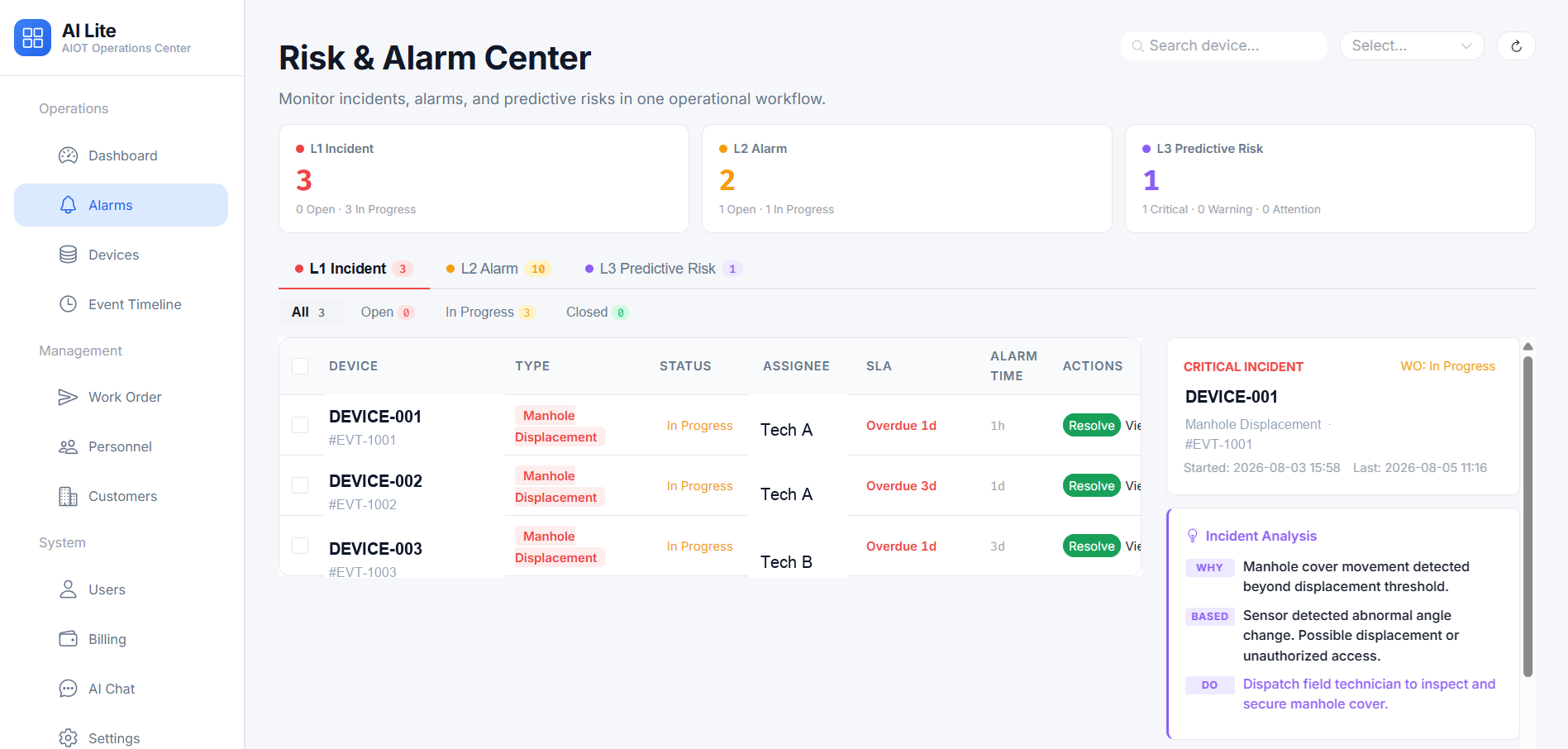
Risk and Alarm Center
Review alarm status, risk events, handling progress, and operational patterns for maintenance and service planning.
System Architecture
A complete layer for sensors, networks, applications, and customer software
The platform is designed for real deployment work: connect Dingtek devices, configure parameters, monitor live status, generate alerts, guide field teams, and provide data to the customer's business system when integration is required.
User Interfaces
Web, Mobile App, and big-screen views for different teams

Web Dashboard
Monitor device status, maps, alerts, history, user roles, threshold rules, reports, and project-level data from a browser.

Mobile App
Support alert acknowledgement, navigation, device inspection, task feedback, photo upload, and field response records.
Big-Screen Dashboard
Show city-wide or project-wide operating status, risk distribution, alert heatmaps, and management KPIs for command centers.
Field Tools
SensorConfig and WasteGo support commissioning and daily field workflow


SensorConfig
Used by technicians for BLE-assisted parameter configuration, protocol settings, firmware upgrade, local diagnostics, and maintenance support on compatible devices.


WasteGo
Supports sanitation work orders, route planning, navigation, field feedback, collection verification, and closed-loop service records for waste projects.
Capabilities
Platform functions customers usually evaluate before procurement
| Capability | What It Covers | Customer Value |
|---|---|---|
| Real-time monitoring | Maps, device status, sensor readings, battery status, online/offline state, and alarm status. | Gives operators immediate visibility across distributed field assets. |
| Remote configuration and FOTA | Compatible devices support parameter updates, firmware upgrade workflows, and maintenance access. | Reduces site visits and improves long-term device maintenance. |
| Alert workflow | Thresholds, events, notification records, acknowledgement, response status, and escalation logic. | Turns sensor events into manageable operational tasks. |
| Reports and analytics | Historical trends, alarm statistics, work records, collection data, and exportable reports. | Supports service review, contractor assessment, and management decisions. |
| API integration | Project-level data access, protocol review, customer software connection, and third-party platform integration. | Lets customers keep their existing system while using Dingtek field devices. |
| AIoT Lite operation management | Work orders, subscription records, device self-registration, customer/user management, alarm handling, and service records. | Adds an operations workflow for selected projects that need more than basic device monitoring. |
FAQ
IoT Platform FAQ
Can Dingtek devices connect to a customer's own platform?
Yes. Our team discusses API integration, protocol adaptation, and data delivery after confirming the device model, network, data fields, and project workflow.
Is the platform only for waste management?
No. WasteGo is one mobile workflow for sanitation projects, while the broader IoT platform supports waste, manhole, level, parking, building, environment, vehicle, and field worker scenarios.
Does SensorConfig replace the Web platform?
No. SensorConfig is mainly for device commissioning and maintenance. The Web platform is used for project operation, monitoring, alerts, reports, and management.
Can the platform be customized?
Project customization can be discussed for qualified deployments, including workflow, data interface, dashboard, protocol, and integration requirements.
What is AIoT Lite?
AIoT Lite is Dingtek's project-based operations platform for device self-registration, work orders, subscriptions, alarms, service records, and customer management. It is recommended when customers need an operation workflow around deployed IoT devices.
Is AIoT Lite a public self-service software store?
No. AIoT Lite is introduced through project discussion, platform access review, and deployment planning so the software workflow matches the selected devices and customer operation model.
Plan your IoT platform workflow before pilot deployment
Share the device models, network, required dashboard, mobile workflow, reporting needs, and integration target. Our team will recommend a practical platform approach for validation and rollout.